
The dashboard
Install the Vintedge app
The dashboard does not have to stay a tab among thirty. It installs as an app: its own icon, its own launch, no address bar — and notifications when a buyer writes to you.
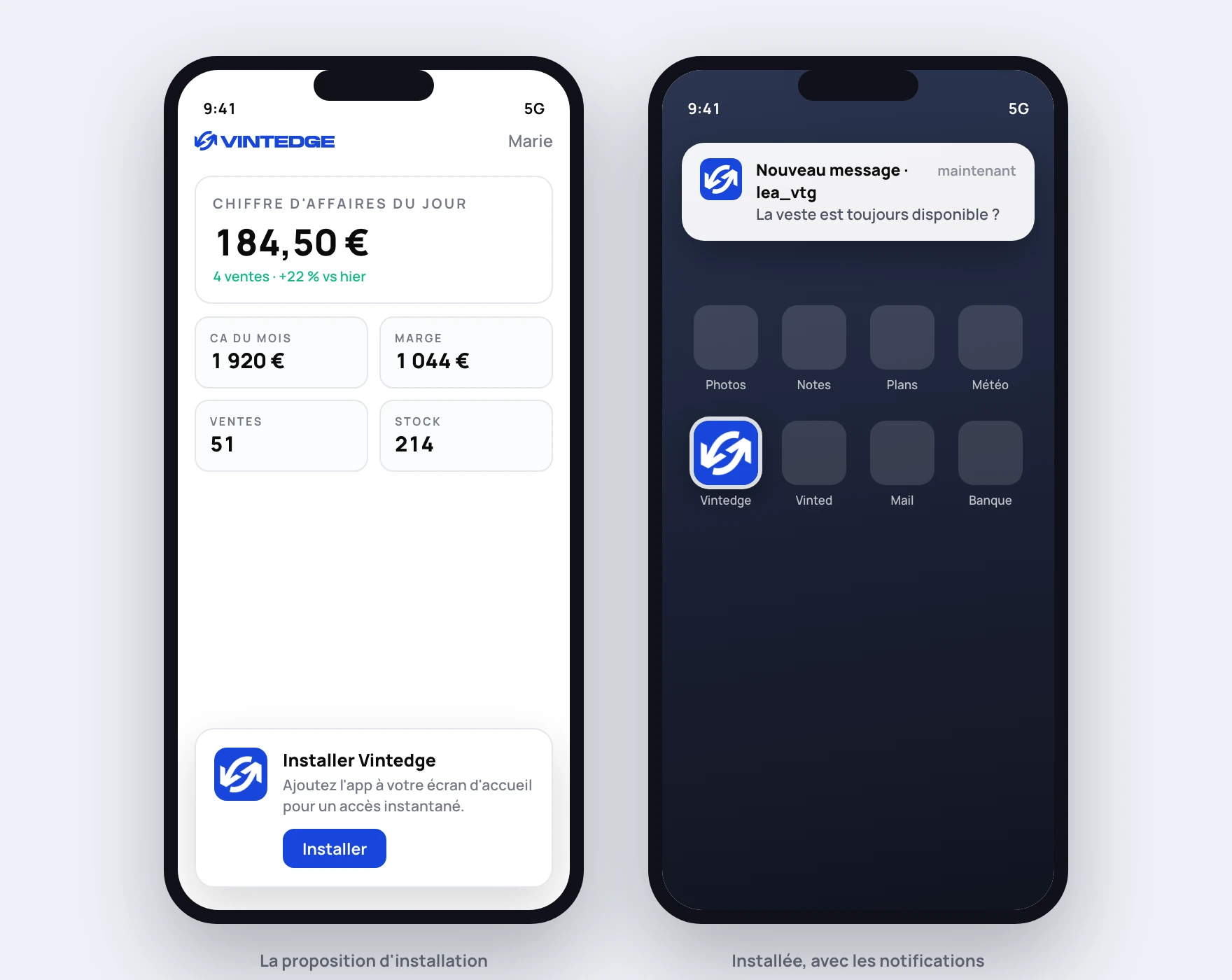
First, the distinction that avoids misunderstandings
The app is the dashboard. It is not the extension.
Installing the app gives you your figures, your messages and your stock behind an icon. It does not run your agents: reposting, automatic replies and negotiation remain the extension's job, in a browser open on Vinted. See Install on your phone.
The combination that works: the app on the phone to steer and be alerted, the extension on the computer to execute.
Installing
Open vintedge.app/dashboard and log in. An Install Vintedge banner appears at the bottom of the screen.
On Android and on a computer
Tap Install: your browser takes over and asks you to confirm. That is it.
On Chrome or Edge on desktop, you can also use the install icon that appears in the address bar, on the right.
On iPhone and iPad
Apple does not let sites trigger the installation themselves: you have to go through Safari's menu. The banner reminds you of the two gestures:
- Tap the Share button (the square with the upward arrow).
- Scroll and choose Add to Home Screen.
Do it from Safari — the other iOS browsers do not have that menu entry.
If the banner does not appear
- The app is already installed: open it from your home screen.
- You dismissed it: the offer comes back after 14 days. Without waiting, you can install manually through your browser's menu ("Add to Home Screen" or "Install app").
- Your browser does not allow it: that is the case with some alternative browsers. Use Chrome, Edge or Safari.
What it changes
The app launches straight onto your dashboard, full screen, with no address bar and no tabs. It has its icon and its name in your app launcher, exactly like a native app.
It stays the same product: same data, same account, same pages. What changes is the access — one gesture instead of four — and the notifications.
If you open it with no connection, a waiting page appears instead of the browser's error. The data itself needs the network.
Turning on notifications
That is a separate setting, and it sits somewhere you would not guess: left menu → Security, the Push notifications card.
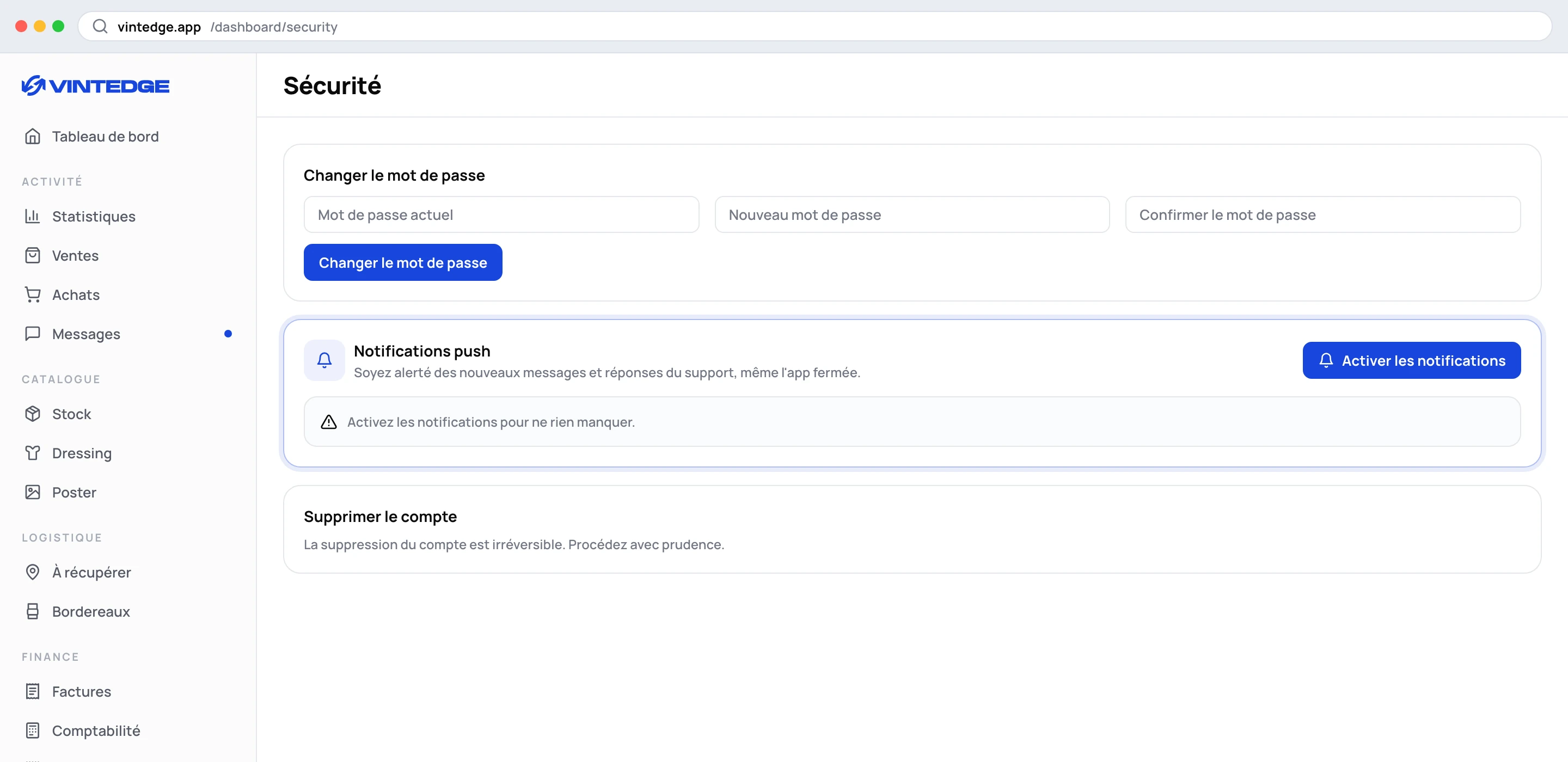
Tap Enable notifications, then accept your browser's request. The card then confirms: "Push notifications are enabled on this device."
On iPhone, install the app first. iOS only allows web notifications for a site added to the home screen. As long as you stay in Safari, the button will have no effect.
What you will receive
Two things, and two only. Vintedge does not notify for noise.
| Notification | When | Where it takes you |
|---|---|---|
| New message · username | A buyer writes to you on Vinted, with the start of their message | Your inbox |
| Reply from Vintedge support | The team replies in the support chat | Your dashboard |
Tapping the notification opens the app on the right page — and if it is already open somewhere, it is simply brought to the front rather than duplicated.
You will receive nothing for a sale, a repost or an agent action: those events are too frequent to deserve a buzz.
The points to know
It is per device. The permission applies to the browser where you gave it. If you want to be notified on the phone and on the computer, turn it on in both places.
It depends on the extension. Message notifications arrive because the extension detected the message on Vinted and passed it on. If no browser is logged in to that Vinted account, nothing comes up — so nothing goes out.
Unsubscribing is immediate. The Disable button on the same card cuts everything for that device.
If it does not work
"Notifications are blocked" — you refused the request, once. The site can no longer ask again: you have to re-authorize Vintedge in your browser settings (notifications or site permissions section), then click Enable again.
"Push notifications are not supported" — browser too old, private mode, or an iPhone without the app installed on the home screen.
Nothing arrives even though everything is green — check that the extension is online on the Vinted account concerned, via the extension indicator in the top bar. Also check that your phone's focus mode or battery saver is not silencing Vintedge.
I get support notifications but not message ones — that is consistent with the previous point: support comes from our servers, messages depend on your extension.