
Getting started
The reserved Vinted tab
On the first Vinted tab you open, Vintedge pins it and shows a full-screen banner:
Tab reserved by Vintedge This tab is used for syncing and background agents. Please open another tab to browse Vinted.
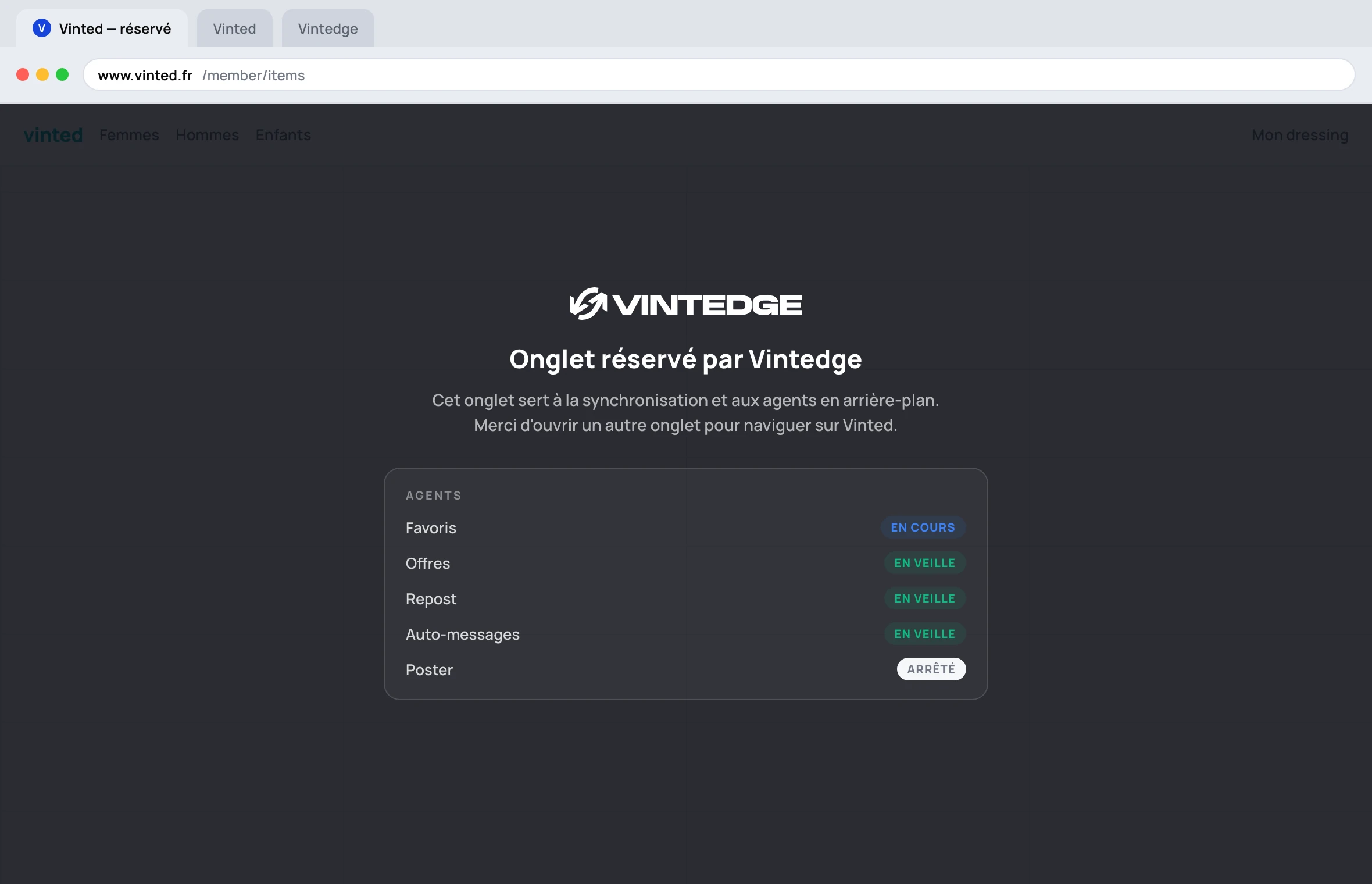
The tab becomes unusable: clicks, scrolling and the keyboard no longer do anything in it. That is deliberate.
Why
Vinted refuses actions that do not start from one of its own pages. So every Vintedge operation — reposting, sending a message, answering an offer, fetching a shipping label — needs a stable Vinted tab.
If that tab navigated away while a repost was running, the operation would be cut off halfway: a draft created but not published, photos uploaded into the void, the original item deleted while the new one does not exist yet. The reserved tab makes that whole class of problems impossible.
What you have to do
Open a second tab to browse Vinted normally. The Vintedge panel works in any Vinted tab, including that one.
Do not close the reserved tab: without it, background tasks fail with « Aucun onglet Vinted ouvert dans le navigateur » (no Vinted tab open in the browser). If it is closed, Vintedge will simply reserve the next Vinted tab you open.
Live agent status
The banner shows the state of each agent, refreshed every few seconds:
| Badge | Meaning |
|---|---|
| Running (blue) | The agent is working right now |
| Idle (green) | Active, waiting for its next pass |
| Error (red) | Something failed — open the panel for the details |
| Stopped (grey) | The agent is switched off |
It is the fastest way to know whether everything is running, without opening the panel.
On a phone, no tab is reserved
On mobile you effectively only have one tab on screen: reserving it would amount to banning you from Vinted. Vintedge detects mobile and switches this reservation off — it makes do with the Vinted tab you have open. If a tab had been reserved by an earlier version, it is released automatically.
Vintedge never opens a tab by itself
The extension waits for you to open Vinted. It never decides to open
vinted.co.uk on your behalf — because it cannot guess your domain (.fr,
.it, .de, .co.uk…) and because forcing a tab on you would be intrusive.
The corollary: if you never open Vinted, nothing runs. The agents and syncing need a Chrome that is open with at least one Vinted tab. That is the price of never handing your Vinted credentials to a third-party server.