
Getting started
Connect the extension to your account
The extension and the dashboard have to recognize each other. Pairing happens through a device code: you never type your Vintedge password into the extension.
What to do
- Open a Vinted page and click the blue button at the bottom left.
- The panel shows "Welcome to Vintedge". Click Sign in.
- A new tab opens on vintedge.app with a code on screen.
- Check that the code shown on that page is indeed the same as the one shown by the extension, then confirm.
- Go back to the Vinted tab: the panel unlocks by itself, within a few seconds.
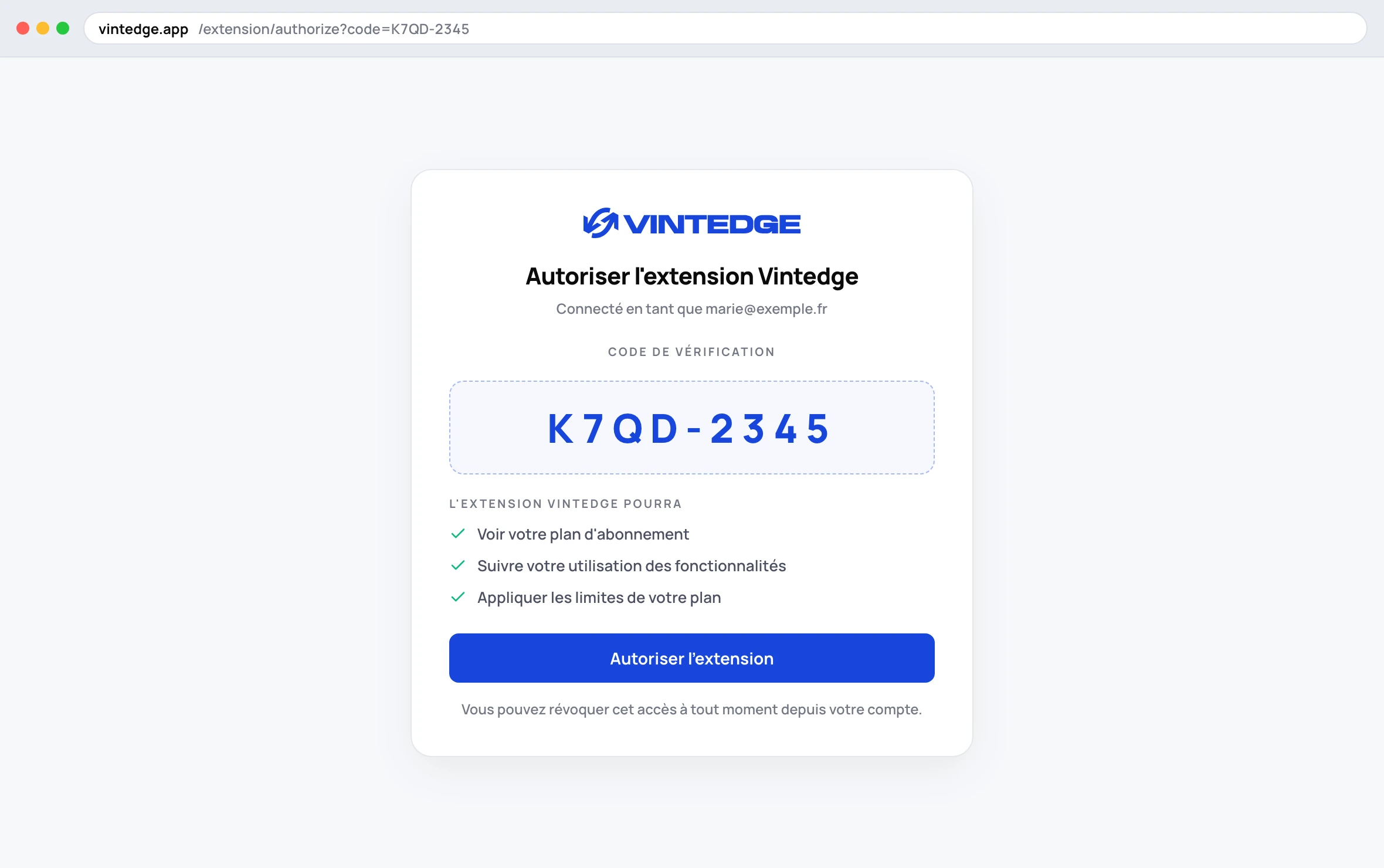
If you are not already logged in to vintedge.app, the page will ask you to identify yourself first. That is normal, and it is the only place where you enter your password.
What can go wrong
"The code has expired" — the code is only valid for 10 minutes. Just click Sign in again and a new code is generated.
Nothing happens after confirming — the extension polls the server every 5 seconds; give it about ten seconds. If the panel stays stuck, close it and open it again.
"Subscription required" — pairing worked, but your account has no active plan. See Create your Vintedge account.
"Payment failed" — your last payment did not go through. Update your card from My account on the dashboard.
Staying connected
Once paired, the extension renews its access on its own. Normally you never have to do this again, even after an extension update or a Chrome restart.
You will only be signed out if:
- you click Sign out in Settings → Account;
- you change your Vintedge password;
- the extension stays offline long enough for its access to expire without being able to renew.
Checking that everything is in place
In the panel, go to Settings → Account. You should see:
- your Vintedge email address;
- a badge with your plan, for example Plan Growth;
- "Vinted session active";
- your usage counters for the month (reposts, messages).
If you read "Vinted session inactive", reload a Vinted page: it is loading a Vinted page that refreshes this link.